
Skip to content
Product · screen by screen

Everything the app does, and the rule behind each part

One rule runs through all of it: a fact appears only where a cited page gave it. Here is how that plays out from your profile to your lead list.

The profile · built from your website

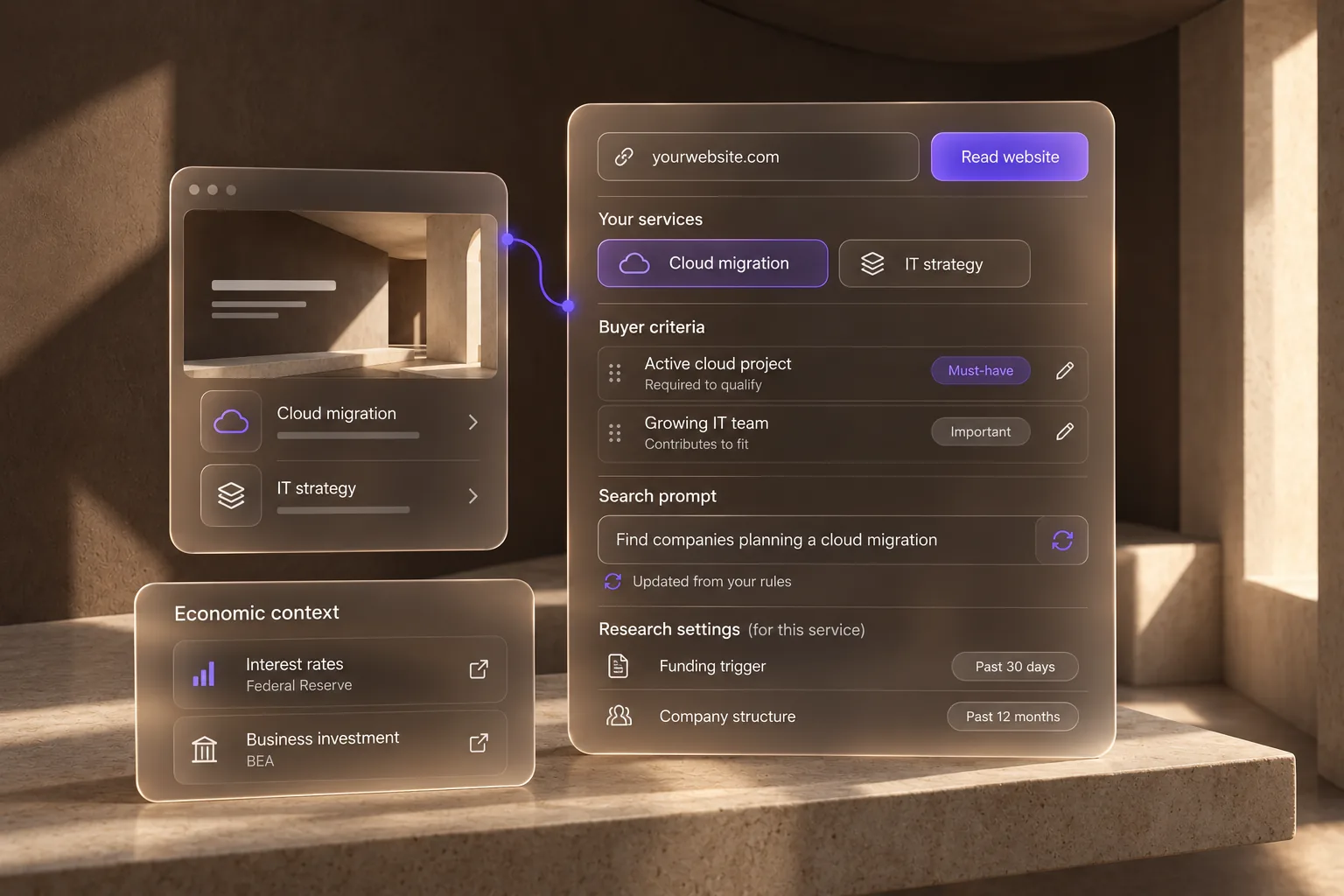
It learns your business from your own site

Paste your URL. PivotSense reads the site and the web around it, lists every service you actually sell, and drafts the targeting criteria that qualify a buyer for each one. You edit the rules, and PivotSense rewrites the search prompt for that service on its own.

  • Criteria carry weight: a must-have disqualifies a lead, the rest feed the fit score
  • Each service gets its own prompt and its own freshness window, so a funding trigger and a structural fact are searched differently
  • An economic context names the public indicators that move your buyers, and where each one is published
A glass profile panel built from yourwebsite.com: services, buyer criteria tagged must-have and important, a search prompt updated from the rules, research settings, and an economic context card
Signal-to-need translation

The best buyers are defined by signals, not firmographics

A database tells you who exists. PivotSense reads what is happening to a company right now and classifies each dated event into one of ten kinds, labelled in your industry's words, so the need behind it is obvious.

Funding
New budget, new gaps

A round, a grant, or an approved budget means spend opens across the board before procurement formalizes it. The app records the round and the amount with the signal.

Expansion
New capacity, everything bought once

A new site, a second depot, a hospital wing: capacity that has to be equipped and staffed. The vendor who shows up before the shortlist forms wins it.

Leadership
Strategy and supplier review

A new decision-maker in the seat that buys re-evaluates what they inherited within two quarters. That is the window where incumbents lose and challengers land.

Procurement
A tender actually issued

An RFP or tender is the rare signal that names the need outright. The app keeps the closing date and the source so nothing is missed.

All ten kinds · hover one for the need behind it
One question → a scored, sourced tableSample answer
Question
Used 4 sourcesnumbered below4 rows7 columns · scored 0–100

Four Pittsburgh companies show a dated lease, permit or funding signal inside the 90-day window, scored against the Tenant representation criteria.

Lead name / companyLocationService typeLead score / detailContactSourceContact priority
Northbank AutonomyPittsburgh, PA (Strip District)Tenant representationSeries C $350M closed (Sep 2) · hiring a facilities lead (Sep 18) · current lease size unknownNewsroom contact form · northbank.aitechcrunch.comHigh
Ironwall RoboticsPittsburgh, PA (South Side)Tenant representationBuild-out permit filed (Sep 24) · 45k sq ft · fit-out date not statedNot listedpittsburghpa.govMedium
Clearnote HealthExisting customerPittsburgh, PA (Downtown)Tenant representationLease signed, Downtown Tower (Aug 28) · 38k sq ft · occupancy date unknownJ. Patel, VP Operations · LinkedIncbre.comLow
Fieldmind AIPittsburgh, PA (Lawrenceville)Tenant representationSeries B $300M (Jul 30) · lab space sought, size unknown · no permit or lease foundContact page · +1 412 …bizjournals.comMedium
Sources
  1. techcrunch.com
  2. pittsburghpa.gov
  3. cbre.com
  4. bizjournals.com
Seven fixed columns on every answer · every row links the page it came from · anything unverified is labelled unknown, never guessed
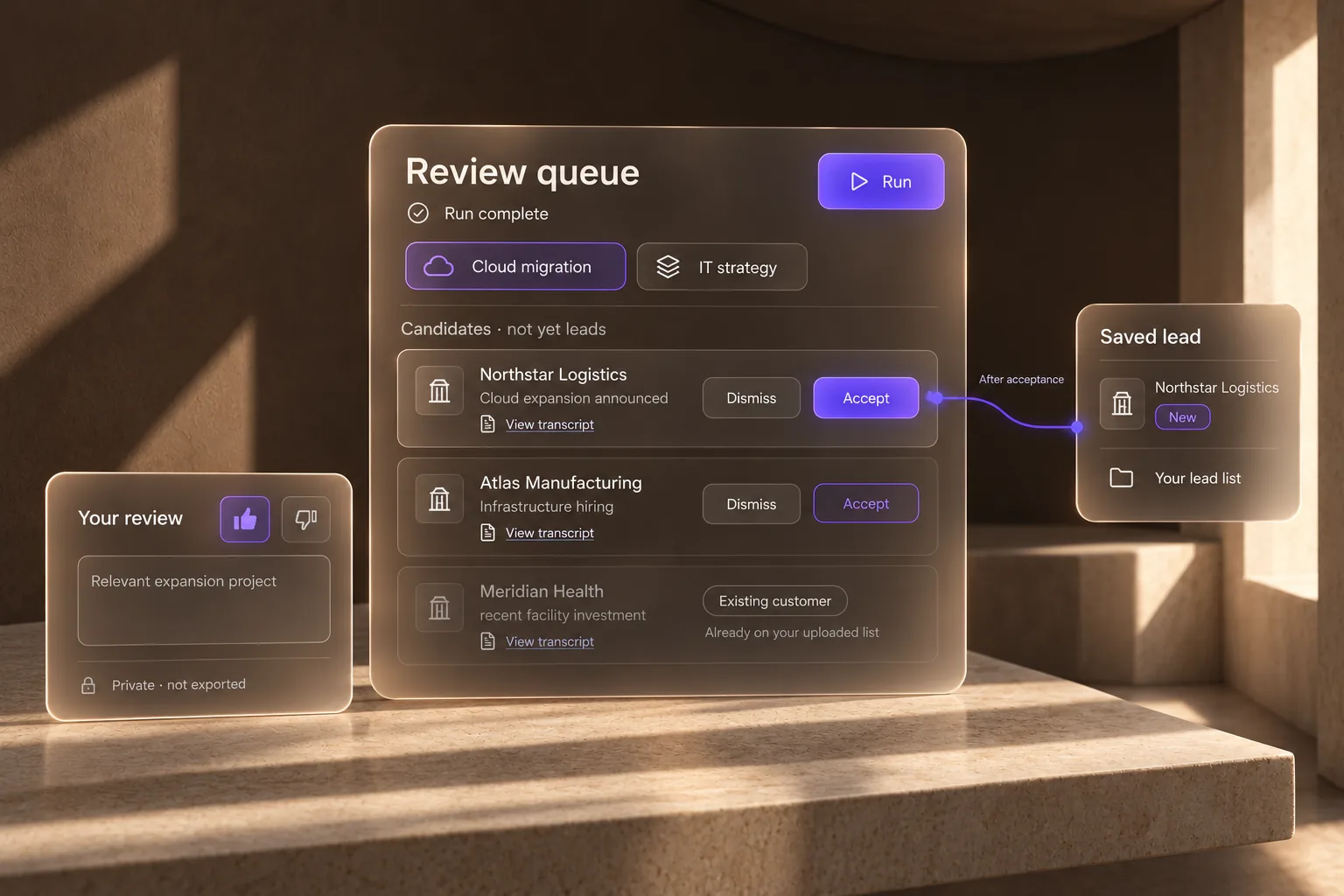
A glass review-queue panel with candidate rows to accept or dismiss, one flagged as an existing customer, a saved-lead card joined to the first Accept, and a private review card with a thumbs-up rating
Automated runs · the review queue

A run never writes to your lead list

Start a run and PivotSense works through your services in batches of five, up to fifty a run, each with its own prompt and freshness window, excluding every organisation already on file. What it finds lands in a review queue. Accepting a row is what creates the lead, so an unattended job can never make a mess of a list you own.

  • The raw grounded reply behind every extracted company is kept as a transcript you can reread
  • A lead already on one of your uploaded customer or do-not-contact lists is flagged, not suggested as new
  • Rate any row good or bad, with a note. It stays in the app and is never exported
PipelineNewResearchingContactedRepliedQualifiedMeeting BookedWonLostDisqualified
One workspace

From first search to booked meeting, nothing leaves the app

A lead found in chat is the same record you qualify, track and export. The signals, market readings and your own customer lists sit beside it, so every answer is checked against what you already know.

Lead intelligence3 screens

Who should I talk to this week?

Chat

Ask in plain language. Answers come back as tables with a score, a contact, and a source on every row, an Add-as-lead on every line, and a rating you can give any row.

Dashboard

Run now, then a daily briefing of ranked next-best actions, the review queue, signal activity, recent activity, and market conditions.

Lists

The leads you kept, tracked from New to Won across nine statuses, with the fit breakdown behind each lead, exported as a sheet for your CRM.

Market intelligence3 screens

What is changing around my buyers?

Signals

Dated events in ten kinds, labelled in your industry's words, each traceable to the page it came from, with a like or dislike that is kept across runs.

Market Intel

The macro indicators that move your buyers, with what they infer for your location, your industry, your customers, and your prospects: the latest readings with their source, market briefs, and regional hotspots.

Ideas

Moves worth making, campaigns worth running, events worth attending, and questions worth asking, read off your market.

Workspace4 screens

What does the app know about my business?

Profile

Your services, locations, and targeting criteria, generated from your website and edited by you, with a prompt and a freshness window per service.

Run settings

Which services a run searches and how many leads each one gets, up to fifty a run, without touching your profile.

Team

Workspaces with Owner, Admin, Member, and Guest roles, invites, and a verified company domain on Team plans.

Knowledge Base

Your case studies and price lists to cite, your customer lists to check a new lead against. Files are read in your browser; only the text is kept.

On the roadmap

Two more screens, already in the navigation

Designed and marked Soon in the app. They ship when they are governed and tested, not before.

Agents

Soon

Governed AI teammates with budgets, action tiers, and audit trails.

Integrations

Soon

CRM sync and workflow connectors beyond today's Excel and CSV export.

Start today

Paste your website. See who is about to buy.

Free to start, no card. Every row comes with its source. Or have us run it for you.

Contact us

Talk to PivotSense

A senior lead replies within one business day.